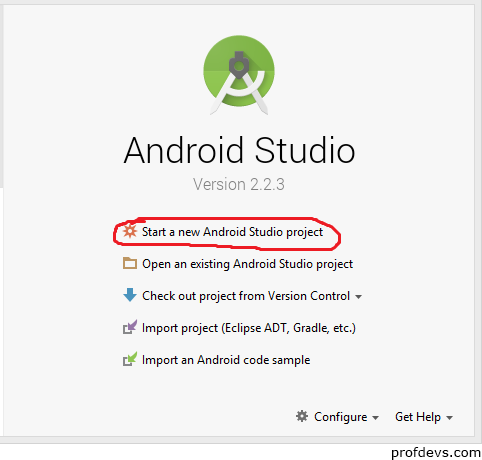
1. Run Android Studio.
2. Click on Start a New Android Studio Project.
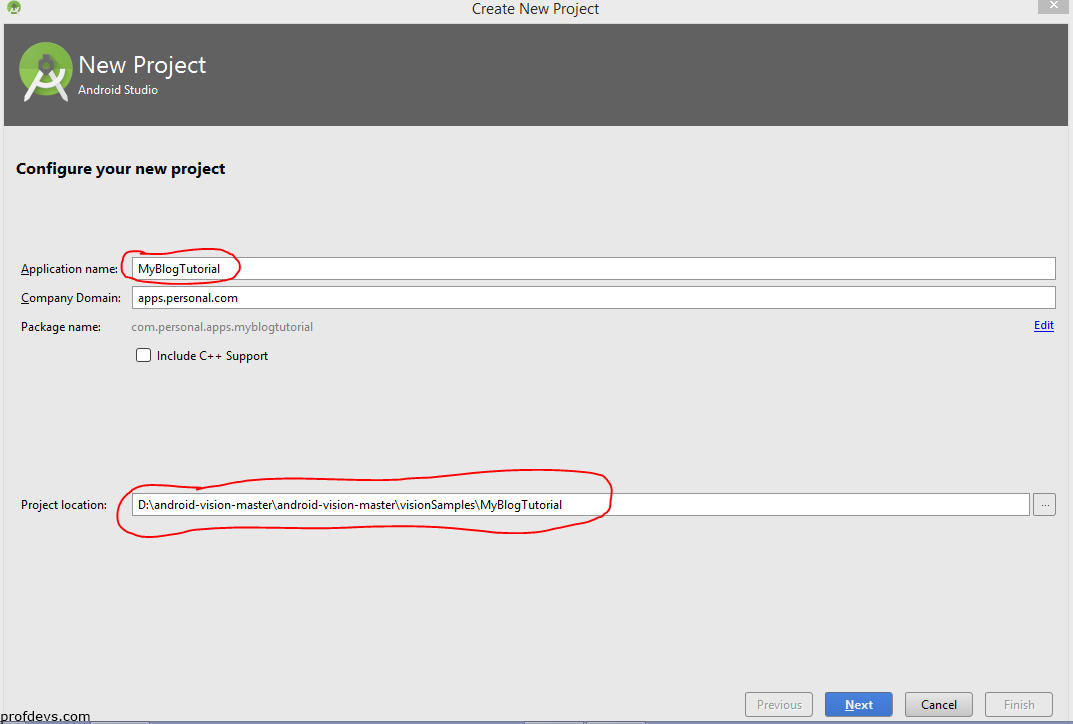
3. Type your Application name, Set your project location and click on Next.
4. Select the desired Minimum SDK from the drop-down list and click on Next.
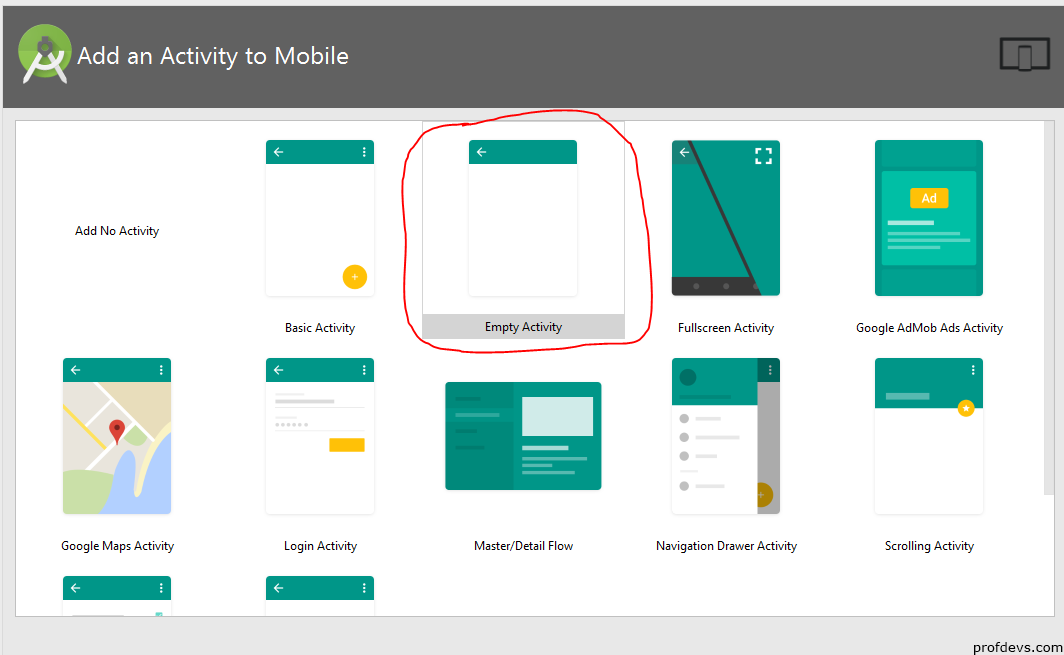
5. Click on Empty Acivity and then click on Next.
6. Click on Finish.
Note – The activity name is MainActivity and the layout name is activity_main.
Leave a Reply