1. Create an Android Studio Project.
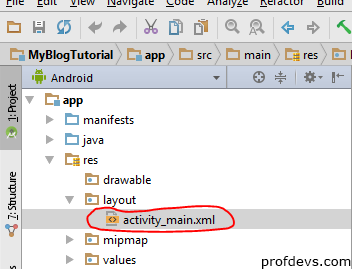
2. In the Project section, go to res/layout/activity_main.xml. The name of my layout file is activity_main.xml. In your case, it might be some other name or the same.
3. The device screen displayed is the preview of how your layout will look like.
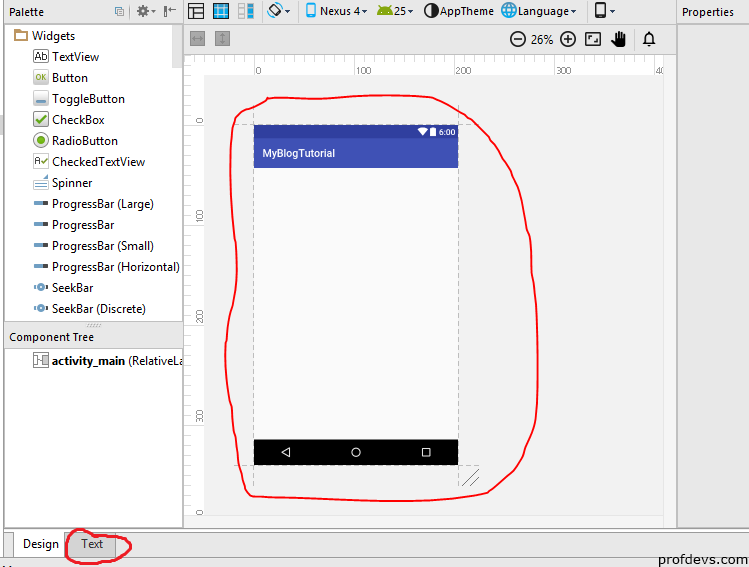
4. Click on the Text tab, highlighted in the above image. This will open the code editor for the layout xml file.
5. Now, type in the code such that the screen looks like the image given below.
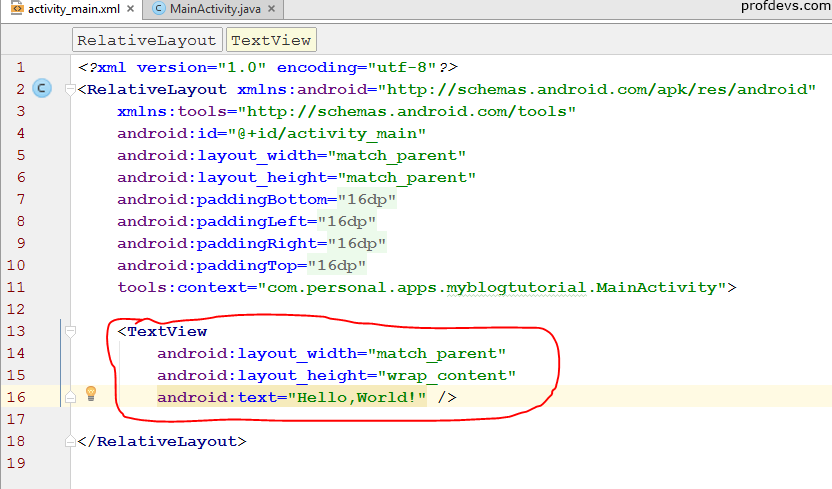
<TextView
    android:layout_width="match_parent"
    android:layout_height="wrap_content"
    android:text="Hello,World!"/>
6. Then, click on the Design Tab, located to the left of the Text Tab.
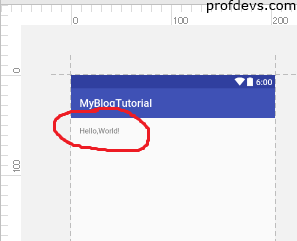
7. You have successfully created the Hello,World application. You can also change the color of the text. Modify the TextView code such that it looks like the image given below i.e. add the code that is highlighted in red.
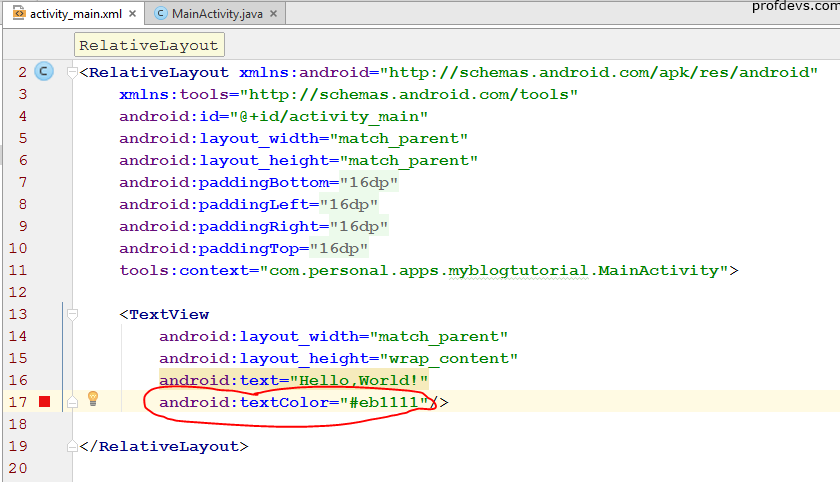
<TextView
    android:layout_width="match_parent"
    android:layout_height="wrap_content"
    android:text="Hello,World!"
    android:textColor="#eb1111"/>
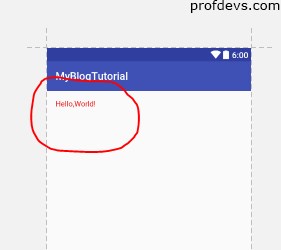
8. #eb1111 is the HEX color code for RED.Then, again click on the Design Tab.
9. This is how the result looks like.
Leave a Reply